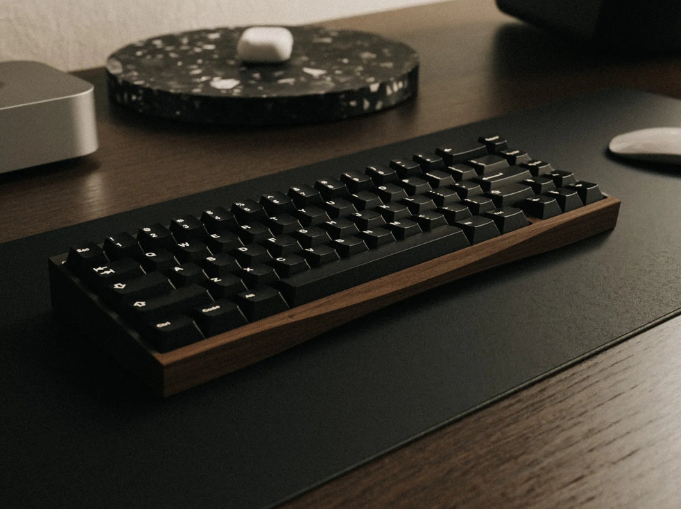
Mechanical keyboards are more than just input devices — they are tools, hobbies, and expressions of personal style. A critical component of that experience is Mechanical Keyboard Keycaps. They influence how a keyboard feels, sounds, and looks. For everyday computer users in the U.S., understanding keycaps can improve typing comfort, productivity, and long-term satisfaction with their keyboard.
What Are Mechanical Keyboard Keycaps?
A keycap is the physical cover placed over a mechanical switch. It is what your finger actually touches when typing or gaming. Most modern mechanical keyboards use a Cherry MX-style “+” stem, which makes many aftermarket keycaps widely compatible.
Keycaps are produced using different manufacturing methods such as doubleshot molding, dye-sublimation, or laser engraving. According to Wikipedia, keycaps can be made from various plastics and specialty materials, each affecting durability and aesthetics.
Compatibility generally depends on the switch stem type and keyboard layout (ANSI vs ISO, bottom row sizes, etc.). While most standard keyboards work with universal sets, low-profile boards may require specialized keycaps.
Many experienced users in mechanical keyboard communities report that keycaps affect not only appearance but also typing accuracy and comfort over long sessions.
Why Do Keycap Materials Matter for Typing and Durability?
| Material | Feel | Durability | Best For |
| ABS | Smooth | Moderate | RGB keyboards, colorful sets |
| PBT | Textured | High | Long-term daily use |
| POM | Silky | Moderate | Custom builds |
| Resin/Metal | Varies | Varies | Artisan keycaps |
ABS keycaps are lightweight and allow vibrant colors but tend to develop shine over time. PBT keycaps resist wear better and are favored by enthusiasts for durability and deeper sound.
Specialty materials like resin or metal are typically used for decorative artisan keycaps rather than full keyboard sets.
How Do Keycap Profiles Shape Typing Feel and Sound?
Common keycap profiles include:
- OEM: Standard profile used by most stock keyboards.
- Cherry: Slightly lower and more ergonomic.
- SA: Tall, spherical, retro style with deep sound.
- DSA/XDA: Flat, uniform profile ideal for custom layouts.
Taller profiles can guide finger movement, while flatter profiles suit fast typists and gamers. Many users prefer Cherry profile for balance between comfort and speed.
How to Choose the Right Mechanical Keyboard Keycaps for Your Setup?
Step 1: Check compatibility. Ensure your keyboard uses MX-style switches and confirm bottom row sizing.
Step 2: Match your use case.
- Gaming → Textured PBT with RGB support
- Office typing → Cherry or OEM profile
- Design/aesthetics → Artisan resin sets
Reading user reviews or testing in local keyboard meetups can help reduce trial-and-error costs.
How to Customize, Maintain, and Upgrade Your Keycaps Over Time?
Regular cleaning every few months helps remove oils and dirt. Most keycaps can be soaked in warm soapy water and air-dried.
Many enthusiasts mix and match keycaps (for example, colored WASD keys for gaming). Upgrading from ABS to PBT is one of the most common first modifications.
Switch lubrication and sound-dampening mods can further enhance the typing experience alongside premium keycaps.
Conclusion
Mechanical Keyboard Keycaps play a major role in comfort, durability, sound, and aesthetics. By understanding materials, profiles, and compatibility, users can make smarter purchasing decisions and enjoy a better typing experience.
FAQs
Are all mechanical keyboard keycaps compatible with every keyboard?
No. Most MX-style keyboards are compatible, but low-profile or proprietary designs may need specific keycaps.
Which keycap material is best for long-term use?
PBT is generally more durable and resistant to shine compared to ABS.
How often should I clean my mechanical keyboard keycaps?
Every 2–3 months is recommended for heavy users.
